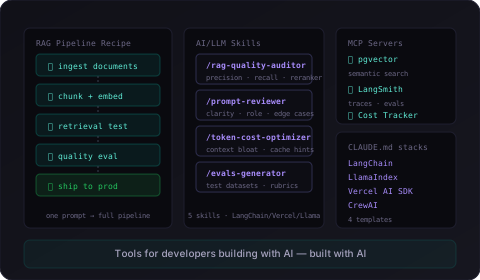
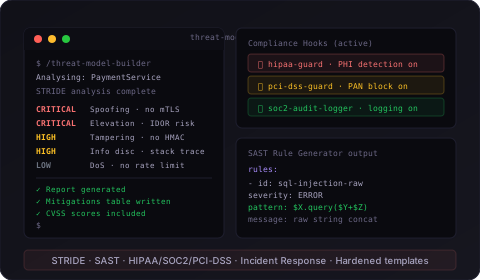
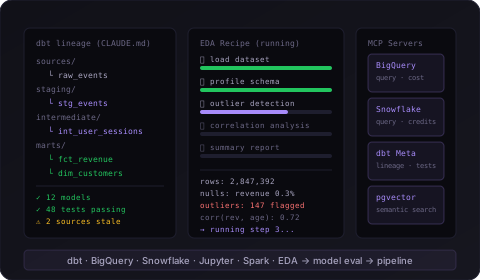
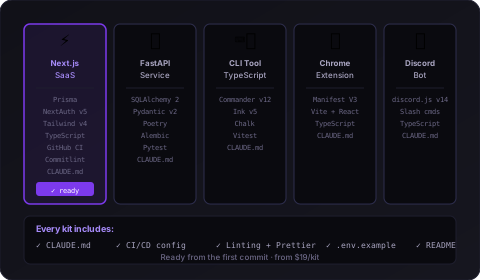
Pre-built skills, hooks, workflow recipes, MCP servers, and project starters — everything you need to go from vague AI assistance to reliable autonomous workflows.
One prompt. One response. Copy the code. Back to the chat.
That's how most developers use Claude Code — the same back-and-forth you'd have with any AI chatbot, just in a terminal.
😤
No guardrails — Claude can overwrite your .env, force-push to main, or delete files. You babysit every command.
🔁
No workflows — every task is 10 manual back-and-forth prompts when it could be one autonomous session.
📋
No memory — Claude doesn't know your architecture rules, coding standards, or project conventions unless you re-explain every session.
The fix
Claude Code working the way you imagined.
These toolkits are the infrastructure layer most developers never build — but once you have it, you can't go back.
✓
Hooks block dangerous operations automatically — rm -rf, .env writes, force pushes, secret leaks, all stopped before they happen.
✓
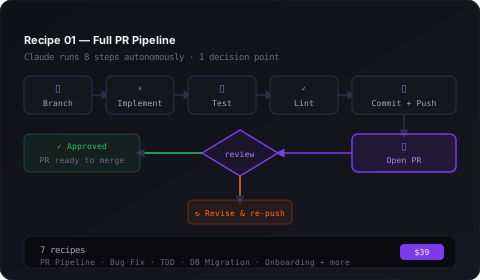
Workflow recipes run 15-step autonomous sessions — branch, implement, test, commit, open PR. One prompt. One approval checkpoint.
✓
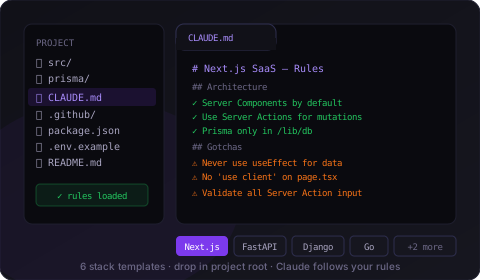
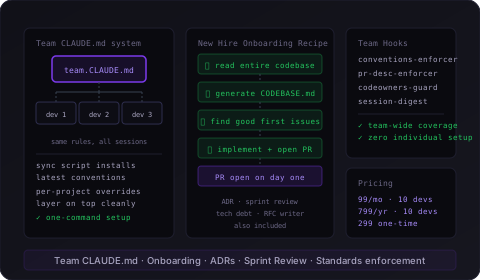
CLAUDE.md templates teach Claude your stack — architecture rules, gotchas, conventions. Written once, applied every session.
The competitive reality
Your competitors aren't using Claude Code the same way you are.
The developers shipping fastest in 2025 aren't just using Claude Code — they've built infrastructure around it. Autonomous workflows that run unattended. Hooks that enforce quality without a second review. CLAUDE.md files that give Claude the full context of their stack from the first prompt. They're not prompting. They're orchestrating.
This toolkit is how you get there — without spending weeks building the infrastructure yourself.
The Toolkits
Fourteen toolkits. Every developer. Every workflow.
From indie hacker to security team, mobile dev to engineering lead — these tools cover every serious Claude Code use case.
⚡
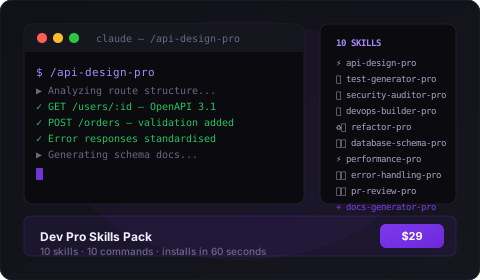
Dev Pro Skills Pack
10 expert skills + 10 slash commands. Install once, use on every project.
One purchase. Everything included. Every project from here benefits.
Save over 70%
The Complete Claude Code Toolkit
All 14 toolkits. Every skill, hook, recipe, MCP server, and starter kit. The complete professional setup for a serious Claude Code user — at over 70% off what you'd pay building this yourself.
Buy the toolkit. Download the files. All plain text — no binaries, nothing obfuscated.
2
Install
Copy files to the right folders. Each product has a step-by-step install guide — no bash knowledge required for hooks.
3
Ship faster
Open Claude Code. Your new skills, hooks, and recipes are active. Every session from here is better than the last.
Questions
FAQ
Claude Code requires at least a Pro subscription ($20/month) or API credits. The free plan only gives you access to chat on web, iOS, Android, and desktop — the terminal-based Claude Code environment is not included.
Yes. All products work with any Claude Code setup. Hooks, skills, and CLAUDE.md files are local configuration — no paid subscription to Claude required. You need Claude Code installed, that's all.
Mac and Linux are fully supported. Windows is supported via WSL (Windows Subsystem for Linux) — Claude Code runs inside a Linux environment on Windows, and all hooks, skills, and recipes work normally inside WSL. Native Windows (PowerShell/CMD without WSL) is not supported by Claude Code itself, so WSL is required if you're on Windows.
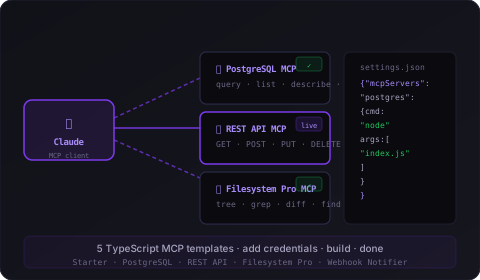
Claude Code installed on macOS or Linux (WSL also works). For MCP Server Templates: Node.js 20+ and npm. For FastAPI Starter Kit: Python 3.12+ and Poetry. Everything else is plain files — no build step.
Yes, and many of them are designed for it. Skills and hooks install globally in ~/.claude/ and activate on every project. CLAUDE.md templates and starter kits are per-project — copy them as many times as you want. One purchase, unlimited projects.
Skills and hooks are Claude Code specific. CLAUDE.md templates work in any tool that reads project context files — Cursor reads CLAUDE.md automatically, for example. Prompt packs work with any AI (ChatGPT, Gemini, etc.). Starter kits and MCP templates are AI-tool agnostic.
The Prompt Packs and CLAUDE.md Templates are useful at any level. Hook Libraries include drop-in install guides — no bash experience required. Workflow Recipes and MCP Servers are best suited to developers who are already comfortable in the terminal and have used Claude Code for at least a few weeks.
Everything is plain source files. Hook scripts are bash (.sh). MCP templates are TypeScript source you build with npm. Starter kits are full project folders. Prompts and CLAUDE.md templates are Markdown. Nothing is minified, obfuscated, or binary. You can read and modify everything.
Yes. Purchases include updates. When Claude Code adds new features that improve these tools, updates are sent to buyers. The Complete Toolkit bundle gets priority updates.
30-day no-questions-asked refund. If you install a product, try it on a real project, and it doesn't do what it says — email for a full refund.
Most products are active in under 10 minutes. Hook Libraries and Skills install globally to ~/.claude/ — copy the files, done. CLAUDE.md templates drop into your project root. Workflow recipes are copy-paste prompts — no installation at all. MCP Server Templates take the longest: fill in credentials, run npm install, add one JSON block to your Claude settings. Each product ships with a step-by-step install guide.
Yes — and you're encouraged to. Everything is plain source files: bash scripts, Markdown, TypeScript. Nothing is locked, minified, or compiled. The hooks and CLAUDE.md templates are designed to be starting points you tune to your own stack and conventions. Most developers tweak at least a few settings in the first week, then leave them running indefinitely.
Instantly, via Gumroad. After checkout you'll get a download link by email — a single zip containing all 14 toolkits, each in its own folder with an install guide. You'll also get a Gumroad account link so you can re-download anytime, including when updates are released.
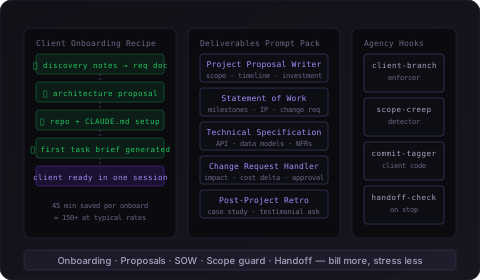
The standard licence covers personal use and use within a single organisation — you can install it across all your own machines and projects. If you're an agency wanting to use these across client projects, or a team wanting to share the toolkit with multiple developers, that's covered too. If you need a formal multi-seat licence agreement for procurement or compliance reasons, get in touch.
Ready
Every project from here gets better.
One purchase. Installs in 10 minutes. Works on every Claude Code session from now on.
30-day refund guarantee · Instant download · Updates included
⚡
They ship features in hours, not days.
The top Claude Code users aren't running one prompt and waiting for an answer. They're running full autonomous workflow sessions — a single trigger prompt that branches the repo, implements the feature, runs the test suite, lints the code, commits with a conventional message, pushes to remote, and opens the PR with a generated description.
While that's running, they're doing a code review on something else.
What makes this possible
Workflow Recipes — pre-written multi-step prompts that give Claude a 15-step plan to execute, with a single human checkpoint built in at the right moment.
Hook Libraries — automated quality gates that run after every file write and before every commit, so Claude doesn't need human supervision to maintain quality.
CLAUDE.md Templates — Claude already knows your architecture, naming conventions, and test patterns from session start, so the first pass is right, not a rough draft.
The Full PR Pipeline workflow recipe is included in the Complete Toolkit. One prompt. Branch to open PR. Unattended.
Most developers can't leave Claude running unattended because they've seen what happens: it overwrites an .env file, force-pushes to main, deletes something irreplaceable, or leaks an API key into a commit. So they watch every tool call. Every file write. It's exhausting and it defeats the point.
The developers who've set up hooks don't have this problem. Claude can't do those things — the hook intercepts the operation before it executes and blocks it.
What 17 pre-built hooks cover
Safety Guard — blocks rm -rf on source dirs, .env writes, force pushes, secret leaks, and production DB commands.
Quality Enforcer — auto-lints after every file write, runs the companion test file, blocks debug statements from reaching commits, and audits new dependencies for CVEs.
Git Workflow — enforces conventional commit messages, prevents direct commits to main, runs the test suite before every commit.
Notifications — pings Slack or your desktop when Claude finishes, so you're free to focus on something else entirely.
All 17 hooks install in under 10 minutes. Drop-in shell scripts with a step-by-step guide — no bash experience required.
Claude already knows their stack before they type a word.
Every Claude Code session starts blank. It doesn't know your architecture decisions, your naming conventions, your testing patterns, or the eight non-obvious gotchas in your stack that took you months to discover. So you re-explain them, every session, imperfectly — and Claude's output reflects that.
The developers getting consistent, high-quality output have a CLAUDE.md file in every project. Claude reads it at session start. It's the difference between a contractor who's seen the codebase and one who walked in five minutes ago.
What a professional CLAUDE.md contains
Architecture rules Claude must follow — folder structure, layer separation, what lives where and why.
Stack-specific gotchas — 8 per template, written by developers who've hit each one. Next.js 15 App Router, FastAPI async, Go dependency inversion, React Native Expo Router — the ones that aren't in the docs.
Conventions Claude should mirror — naming, error handling patterns, logging format, test file placement, commit message style.
What to avoid and why — the anti-patterns specific to your stack that Claude would otherwise default to.
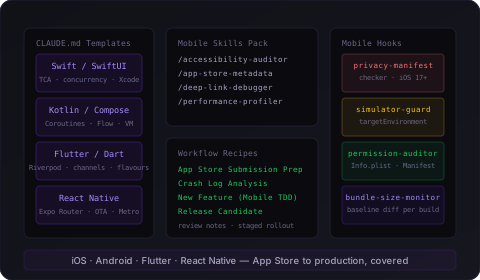
Six stacks covered: Next.js 15, FastAPI, Django, Go, React Native, Express.js. Drop the file in your project root. Done.